

Ask
Contextual help, from one quick answer to a full team discussion.
Quick is one AI with your project's context. Team and Deep bring in several specialists who build on, and push back on, each other's work.
How it works
Every piece of work belongs to a project. You say what you want accomplished; Navorynth plans the team, shows the cost, and the result stays with the project.
The AI team
Navorynth does not ask several models the same question and paste the answers together. Roles hand work to each other: one produces, another challenges, the producer answers, an independent role verifies, and a synthesis resolves the result.
You see what the team is doing, its findings and the result. You never need to read the models' private reasoning.
Also assembled when a job needs them: Analyst · Evidence Checker · Product Manager · Planner · Verifier · Product Designer · Visual Reviewer · Financial Analyst
Six kinds of work
Choose one, or let Navorynth suggest it from what you typed.
Contextual help, from one quick answer to a full team discussion.
Quick is one AI with your project's context. Team and Deep bring in several specialists who build on, and push back on, each other's work.
Evidence first: a Researcher gathers it, an Evidence Checker tests it, a Synthesizer writes it up.
The result separates evidence from inference and names the uncertainty, the limitations, any contrary evidence and the open questions.
A Strategist frames the options, an Analyst weighs them, a Skeptic challenges the favourite.
You get a recommendation with its reasoning and risks. The AI recommends; you decide. Nothing becomes a decision until you approve it.
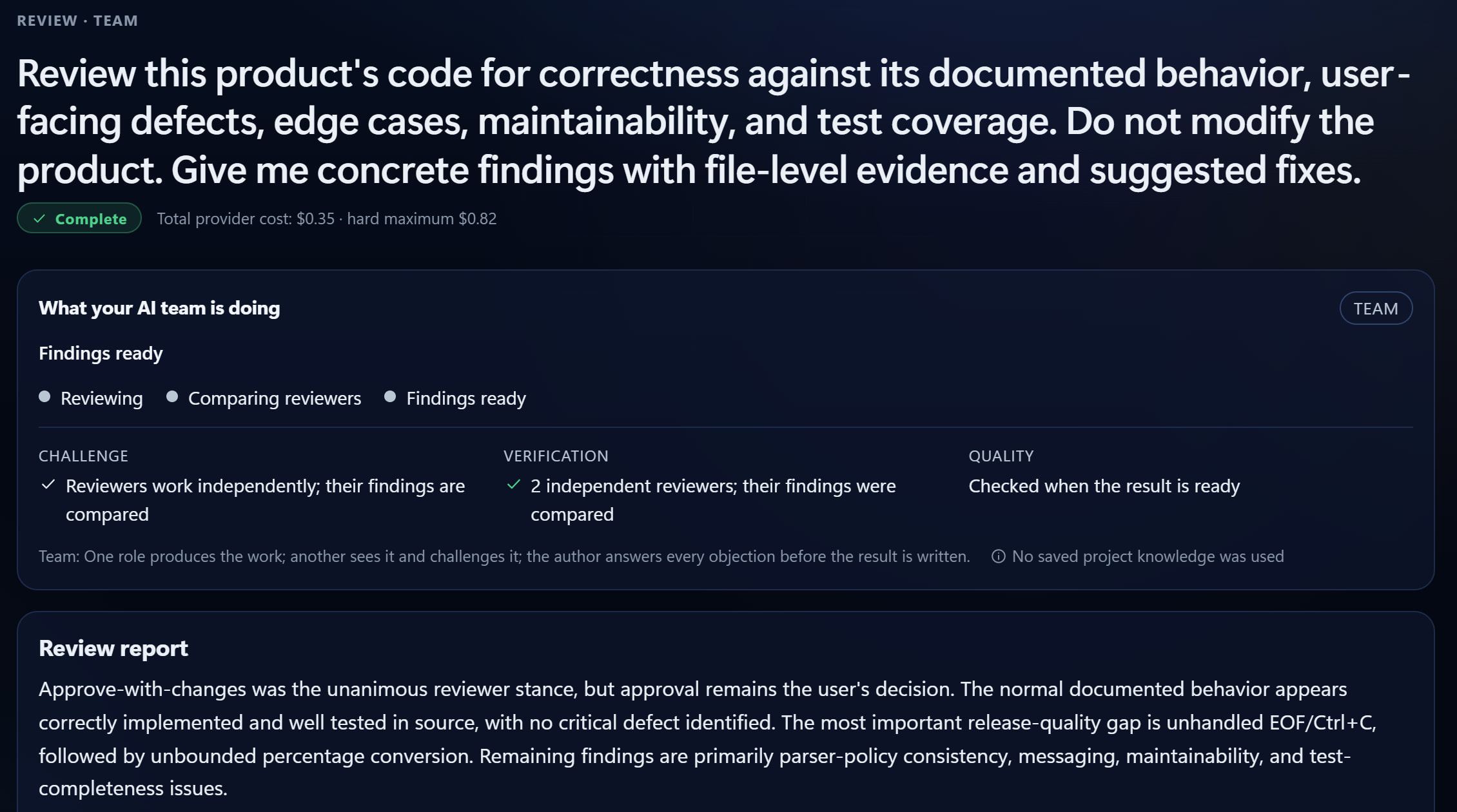
Independent reviewers check work against its requirements, evidence and constraints.
Findings are prioritised, actionable and tied to evidence. A review changes nothing on its own.
You approve specific findings. Navorynth makes those changes, verifies them and reviews them again.
It never widens the scope: only the findings you approved are changed.
A product team plans, designs, builds and checks small working software on your PC.
Functional, product, visual and commercial-readiness reviews come before anything is called complete.
Project Brain
Every project keeps its own Project Brain: what was decided, the evidence, the constraints, the findings and the open questions. The next job starts from there, so you do not explain it all again.
Build
Build assembles a product team for small working software that runs on your PC, and goes beyond writing code with product, visual and commercial-quality review.
Functional
It works, and its main journey is verified in a real browser.
Product / UX
It does what the plan promised, the way a user expects.
Visual
Its look is reviewed from real screenshots of the product.
Commercial readiness
It is reviewed as something you could put in front of people.
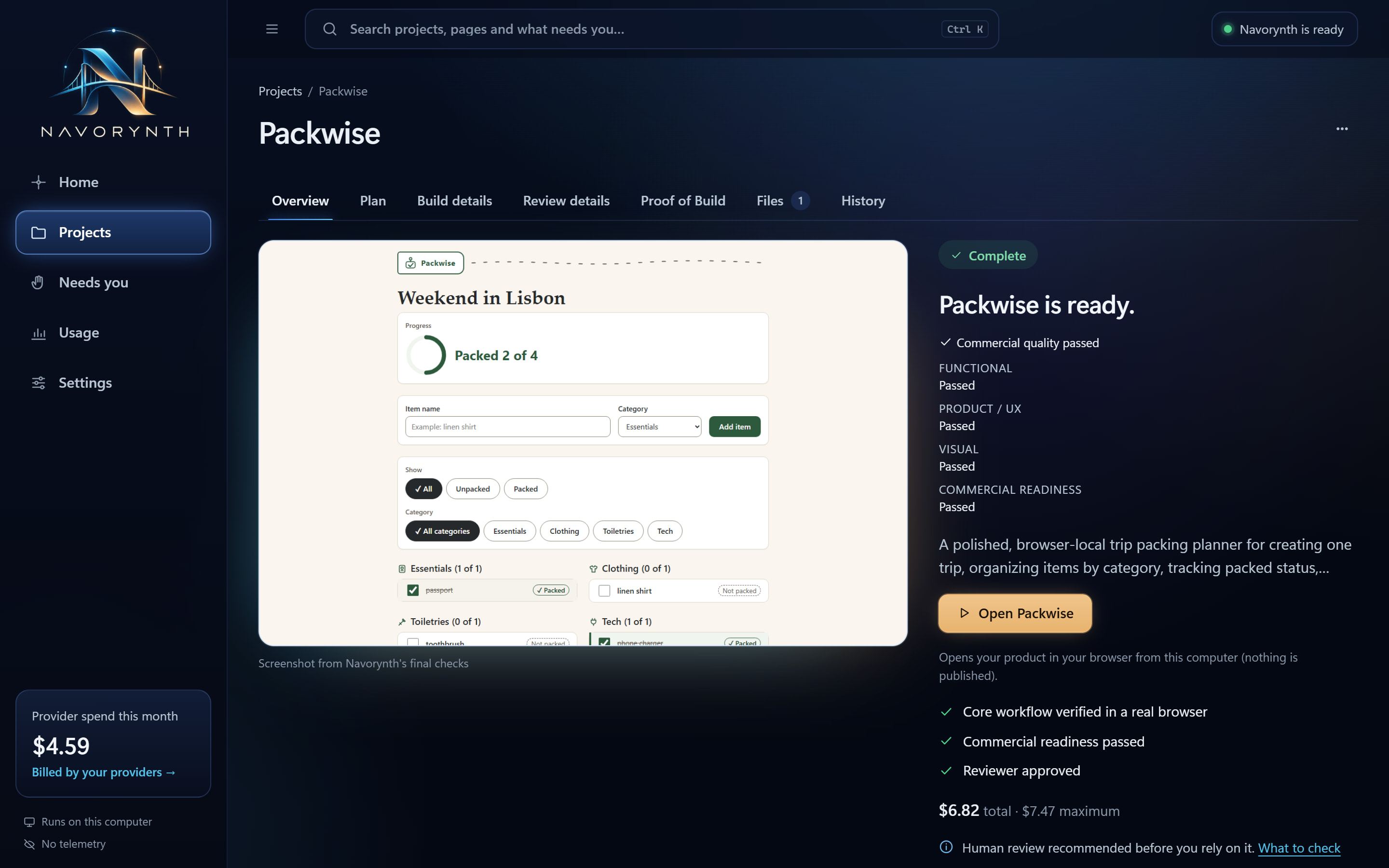
Internal validation project
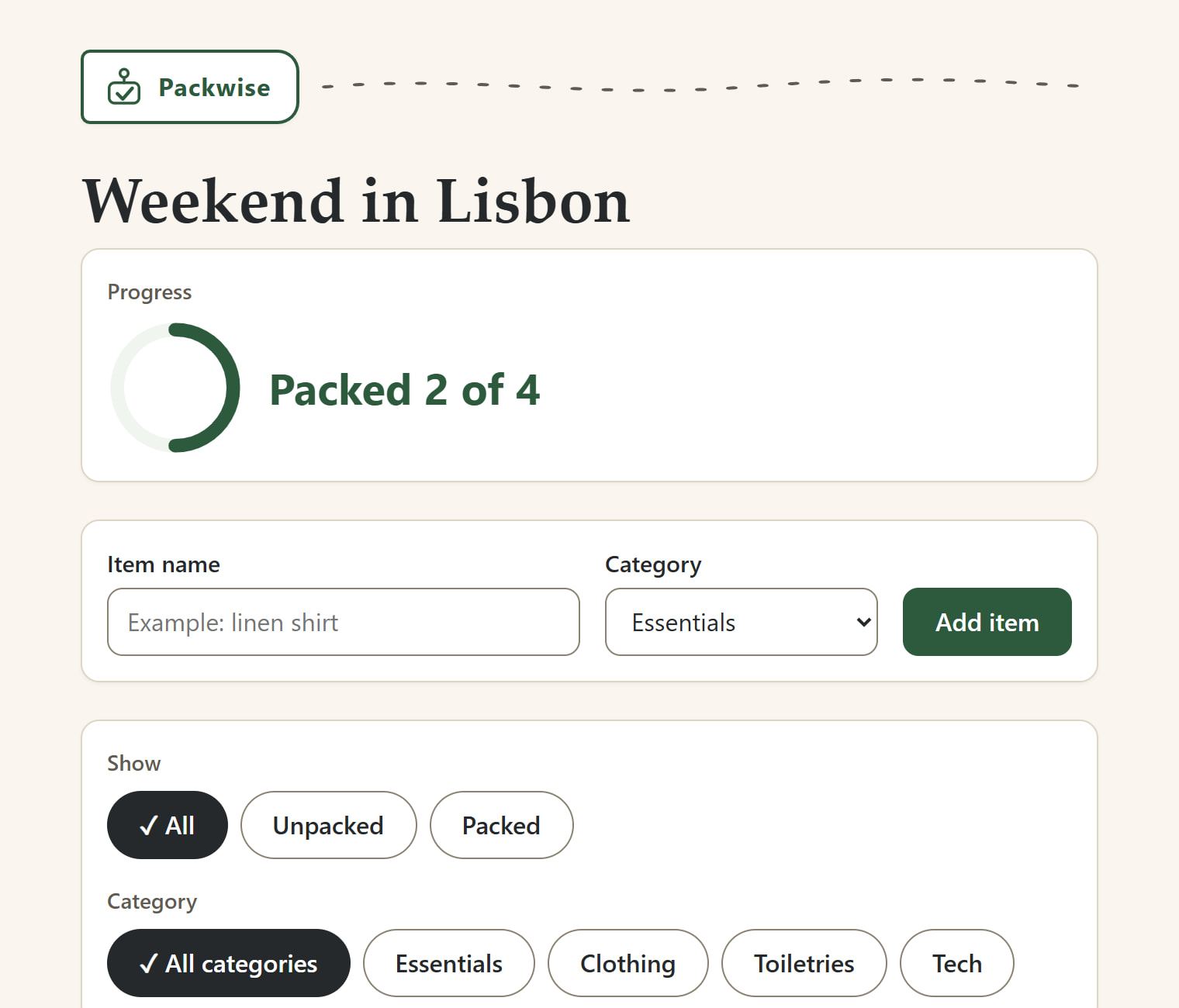
A trip packing planner that runs in the browser: add items by category, tick them off, filter what's left. Planned, built, reviewed and polished by Navorynth from a plain-English description.
Metered provider usage for the original build and two bounded polish passes: $6.82, inside a $7.47 maximum.
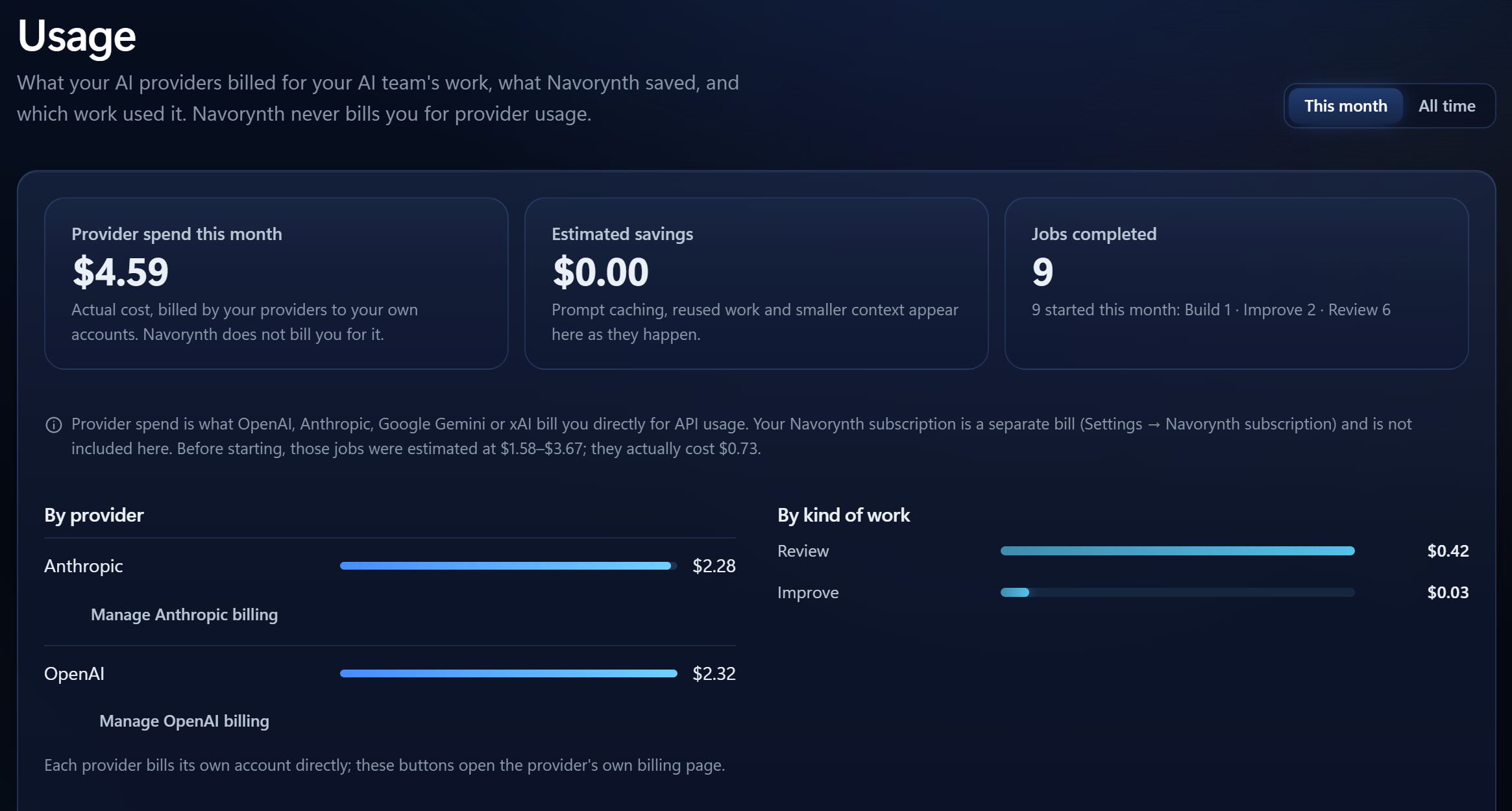
Providers
Your team can use models from several providers behind the scenes. You work with roles, not model names.
Cost control
Every plan shows the team, the expected provider cost and a hard maximum. Nothing is spent until you press Start.
Navorynth stops before starting work that would go over the maximum you set.
Afterwards, Usage shows what each provider billed, by project and by kind of work.
If a provider the team needs has reported a billing or usage-limit problem, you are told before the job starts, with a link to that provider's billing page.
If a provider runs out of credit during a job, Navorynth stops before its next request and keeps everything already done.
Add credit on the provider's page, choose Test again, then Resume. The job continues from where it stopped, without repeating or paying again for finished steps.
Needs you
Everything that waits for you, from every project, is in one place. Each item says what happened, what was kept, and the one thing to do next.
Pricing questions are on the Founding Beta page; security and data on Security.
A Windows desktop app that runs your work as an AI team. You give it an objective inside a project; it assembles the specialists the job needs, coordinates them, and produces a deliverable. Each project keeps a Project Brain, so the next job starts from what you already know.
Chat assistants answer one prompt at a time, and you carry the context. Navorynth plans each piece of work as a team: one role produces, another challenges, an independent one verifies, and a synthesis resolves the result. The project remembers decisions, evidence and open questions between jobs.
Navorynth uses AI providers' models through their APIs, with your own keys. It is not affiliated with or endorsed by any provider.
Yes: an API account with at least one supported provider. Chat subscriptions such as ChatGPT Plus or Claude Pro are a different product and cannot be used. The app walks you through creating a key on the provider's own page.
OpenAI, Anthropic, Google Gemini and xAI.
No. One provider is enough to start Ask, Research, Decide, Review and Improve. With two or more, the team can draw on independent perspectives. Build needs both OpenAI and Anthropic, plus Claude Code, Git and the secure build environment on your PC.
In Windows Credential Manager on your PC. Each key is sent only to the provider it belongs to. Navorynth's account service never receives your keys, your projects or your files.
No. A recommendation stays a recommendation until you approve it. Only your approval creates a decision in the Project Brain, and later work respects the decisions you approved.
If Navorynth already knows a provider the team needs has a billing or usage-limit problem, it tells you before the job starts. If credit runs out during a job, it stops before the next request, keeps the finished work, and shows the job under Needs you. Add credit on the provider's page, choose Test again, then Resume.
Most providers do not let an API key see the remaining balance, so Navorynth cannot always know in advance. Setting a monthly limit at each provider is still wise.
Yes. Every job has an estimate and a hard maximum before it starts, and Navorynth stops before starting work that would go over it. Usage shows what each provider actually billed.
Each project's memory: decisions you approved, evidence, constraints, requirements, findings, recommendations, assumptions, open questions and deliverables. It stays with that project and is never shared with your other projects.
Small working software tools that run on your PC, such as a browser-based planner or a command-line calculator. Build plans, builds, tests and reviews them on your computer; it does not deploy or publish anything. Every build ends with a Proof of Build, and we recommend your own review before you rely on it.
Not yet. Navorynth V1 is a Windows desktop app for Windows 10 and 11.
No. Your subscription pays for Navorynth. Each AI provider bills you directly for what your team uses, at its own prices. Navorynth does not resell or mark up provider usage.
Not publicly yet. Navorynth is in a Founding Beta: we are onboarding a small group of early users personally. Request access and we'll be in touch.